Three AIs, one box: hand off work without copy-paste
Claude Code, Codex and DeepSeek work on the same box. Each picks up where the last one stopped, because the files, the open apps and the logins are all on the box.
Claude Code, Codex and DeepSeek all work on the same box by Simular. Each one picks up exactly where the last one stopped, because the files, the open apps and the logins are all on the box.
TL;DR
| What you need | A box by Simular account and two or more agents you already use, such as Claude Code, Codex or DeepSeek Harness. |
| Setup | Connect each agent to the same box account. Read the Quick Start. |
| Result | One agent starts the job on the box, the next one carries on from the same files, and you watch it all in the live view. |
What it is
Most people who use AI a lot use more than one. Claude for one thing, Codex for another, DeepSeek because it's fast and cheap. Normally each one lives in its own world, so moving work between them means downloading, pasting and explaining everything again.
With box by Simular, they all work on the same computer. A spreadsheet one agent saves is right there for the next. A site one agent signed in to stays signed in. You hand off the task in a sentence, and the next agent opens the same files and keeps going.
The agents take turns: one works on the box, then hands it to the next. They pick up each other's work; they don't work on the box at the same moment.
How to do it
Here is a real relay: find cafes to work from in San Francisco, check which stay open late, and put them on a map.
1. Connect your agents to the same box
- Add box to Claude Code and Codex with the same box by Simular account. See the Quick Start.
- Add box to DeepSeek Harness with the same account. See the DeepSeek Harness setup.
All three now use the same box.
2. Leg 1: Claude Code finds the cafes
Ask Claude Code something like:
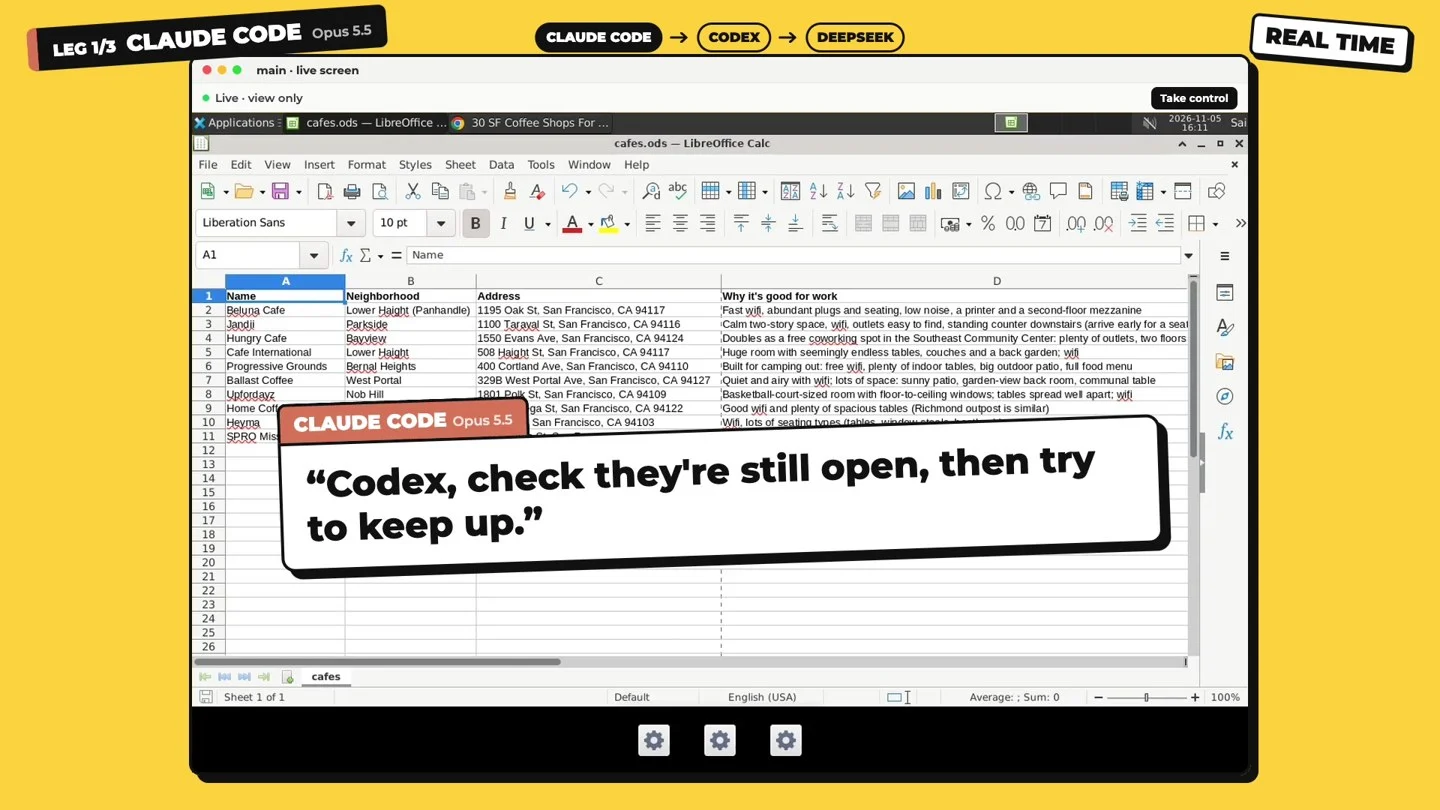
Use box to find 10 cafes in San Francisco that are good for working from, and save them to a spreadsheet on the box with the address and why each one is good.Claude Code searches the web on the box and saves cafes.ods.
3. Leg 2: Codex checks the hours
Ask Codex (mention @box so Codex doesn't pick a different app named Box):
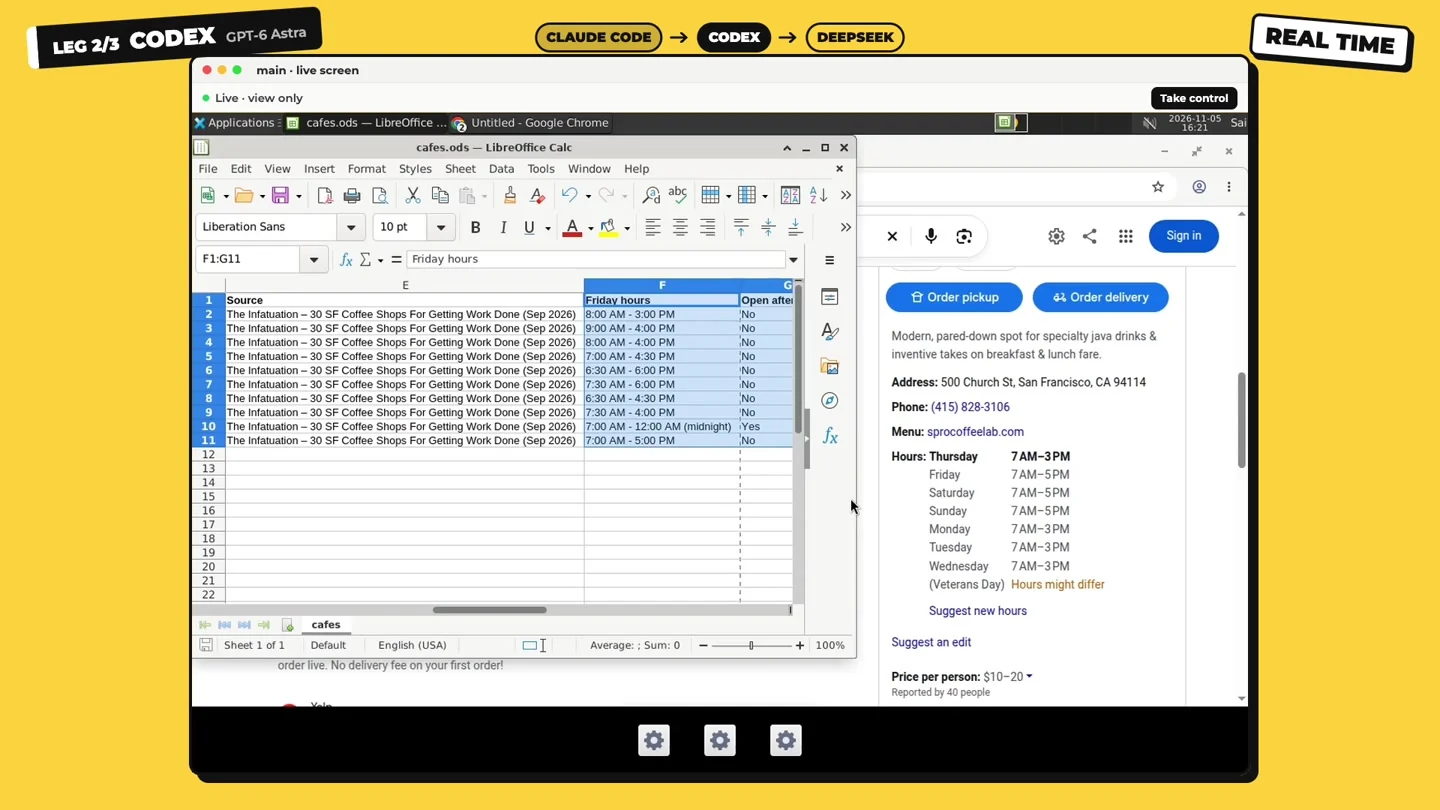
@box Open the cafes spreadsheet on the box, look up each cafe's Friday hours, and add a column for whether it's open after 9pm.Codex opens the same file Claude Code saved, looks up every cafe and fills in the new columns.
4. Leg 3: DeepSeek makes the map
Ask DeepSeek:
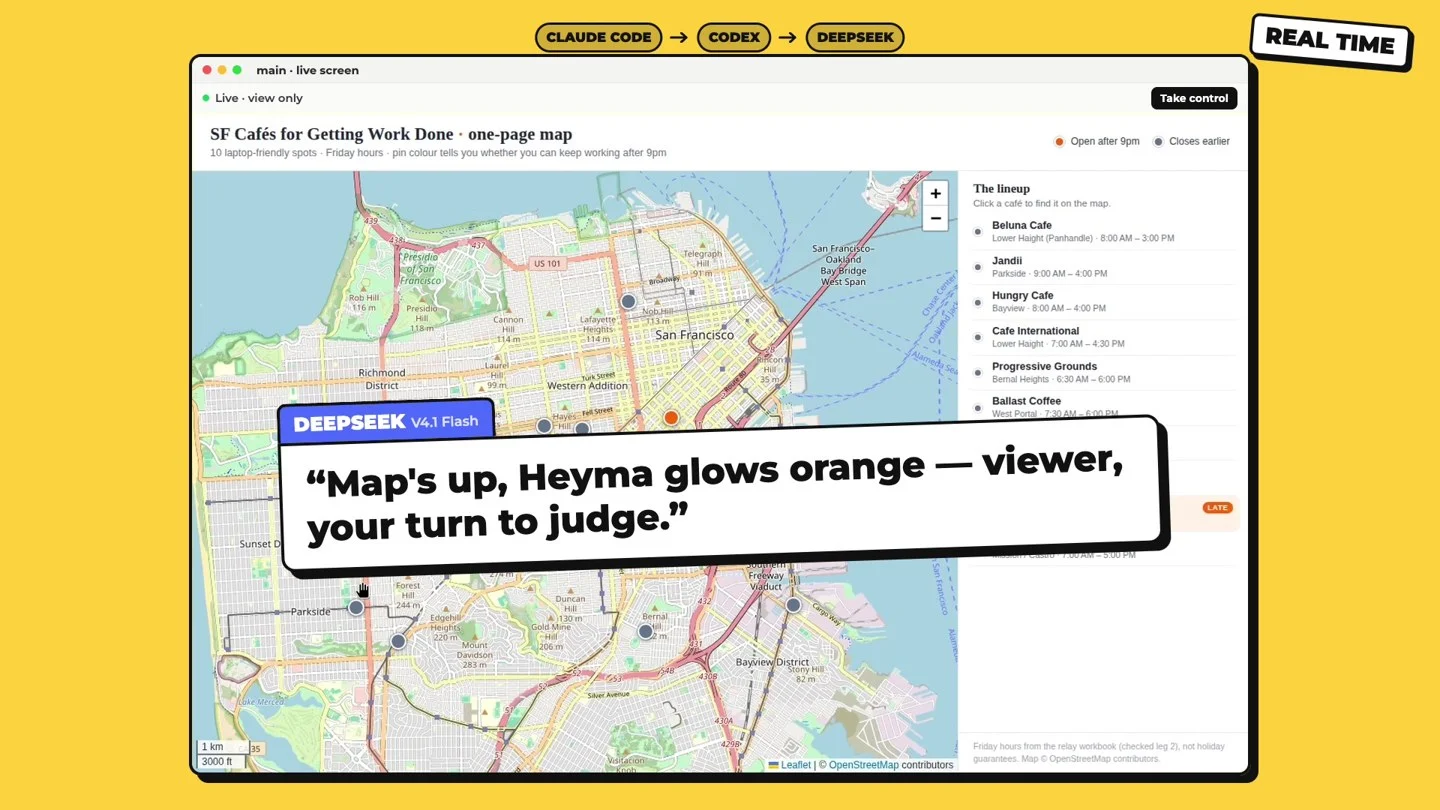
Use box. Turn the cafes spreadsheet on the box into a one-page map, and highlight the ones open after 9pm.DeepSeek builds the map on the box. In this run, the map tiles were blocked at first (a 403 from the map server); DeepSeek worked out why and fixed it on its own. Only one cafe stayed open past 9pm.
5. Watch or step in at any time
Open the box's live view to watch each leg. Tap Take control if you want to check something yourself.
Why box
| Each agent on its own | Agents sharing a box | |
|---|---|---|
| Handing off work | Download, paste and re-explain | Say "carry on"; the files are already there |
| Files | Scattered across each tool | One place, on the box |
| Logins | Sign in again in every tool | Signed in once, on the box |
| What each agent can use | Whatever that tool gives it | The whole desktop: Chrome, apps, files and a terminal |
| Seeing what happened | Read each tool's log | Watch the live view, or open the box |
FAQ
- Can two agents work on the box at the same time? They take turns. Agents share one box and pick up each other's work, not at the same moment.
- Which agents can I connect? Claude, ChatGPT and Gemini in their own apps; Claude Code, Codex, Cursor, OpenCode, Hermes, OpenClaw and VS Code with one installer command; Gemini CLI, DeepSeek Harness and any other MCP client with their own steps. See the full list in the docs.
- Do I need a paid plan for each AI? You keep the AI subscriptions you already have.
More use cases
Let Claude Code QA your app on a phone screen with box by Simular
Give Claude Code a cloud desktop with Chrome. One prompt and it checks your web app on two phone sizes, marks what's broken, fixes the code and proves it on screen.
Give your AI chatbot a live cloud desktop with box by Simular
Add box to Claude or ChatGPT and your chatbot gets its own computer in the cloud. Ask in plain words, watch the desktop live in the chat, and take control in one tap.